

Last updated on September 21st, 2026 at 04:25 am
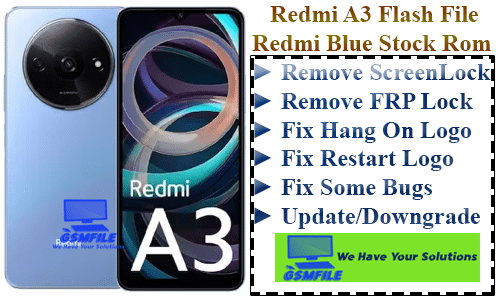
Redmi A3 (Blue_in_Global) Flash_File
Introduction To Redmi A3 (Blue_in_Global) Flash_File
Redmi A3 (Blue_in_Global) Flash_File Smart Phone Flash Files, Also Known As Firmware Or Rom ( Read-Only Memory ), Are The Operating System And Software Packages That Control The Functioning Of A Smart Phone. They Contain The Necessary Instruction And Data Required To Boot Up The Devices And Operate its Various Functions.
What is Flashing?
Before We Deleve Info The Flashing Process, let’s Understand What Flashing Actually Mean, Flashing Is The Process Of Re-installing or Updating A Smartphone’s Operating System [os] Or Firmware. it’s akin to giving Your Device A Frash Start, Resolving Software Glitches, and Optimizing Performance
Importance Of Redmi A3 (Blue_in_Global) Flash_File
SmartPhone Flash Files Are Crucial for maintaining The stability And Performance Of a device. The Allow Manufacturers To Push Software Update, security patches, and bug fixes To Users, Addressing Issue And enhancing the user experience. Flashing A Phone With The Letest Firmware can often resolve software- related Problems and improve overall Performance.
Types of Smart Phone Flash Files
There are two main type of smartphone flash File: Stock ROMs and Custom ROMs. Stock ROMs Are The Official Firmware Provided By The Device Manufacturer, while Custom ROMs are Developed By Third-Party Developers And Offer Additinal Features And Customization Options.
𝐃𝐞𝐯𝐢𝐜𝐞 𝐈𝐧𝐟𝐨 ↴
𝐍𝐞𝐭𝐰𝐨𝐫𝐤 :- GSM / HSPA / LTE
𝐂𝐏𝐔 𝐂𝐡𝐢𝐩𝐬𝐞𝐭 :- Mediatek Helio G36 (12 nm)
𝐂𝐚𝐩𝐚𝐜𝐢𝐭𝐲 :- 64GB 3GB RAM, 128GB 4GB RAM, 128GB 6GB RAM(eMMC5.1)
𝐁𝐚𝐭𝐭𝐫𝐲 :- 5000 mAh
W̼h̼a̼t̼ K̼i̼n̼d̼ O̼f̼ I̼s̼s̼u̼e̼ F̼i̼x̼ w̼i̼t̼h̼ T̼h̼i̼s̼ F̼i̼l̼e̼?̼
➤ Flash Your Phone ➤ Remove FRP From Your Phone ➤ Forget ScreenLock ➤ Update Your Phone ➤ Downgrade Your Phone ➤ Fix Hang On Logo Issue ➤ Fix Bootloop Issue ➤ Dm-Verify Fix ➤ Red/Orange State After Flash
Redmi A3 (India) Flash File Stock Rom
V816.0.4.0.UGRINXM
Read Info :- Download SPD Upgrade Tool All Version Here
WhatApp:- 917580999404
How To Flash Redmi A3 2024 Flash File Stock Rom :-
- Open Zip Using WinRar Or 7z
- Open Your Tool Like UnlockTool , SP Flash Tool And Load Pac.
- Connect Phone Power Off Vol +-
- When the Device Manager Shows MTK Preloader Port And Start the Process.
- After Compleate Flash Your Device Auto Power On.
Contact Admin For Any Issue
Whatsapp :- 917580999404
Telegram :- t.me/Gsm_NwaaB


%20Flash_File%20%7C%7C%20Redmi%20A3%202024%20Remove%20File%20File%20Screenlock%20File%20And%20Fix%20HangOn%20Logo%20REstart%20Isuue%20And%20..)